
Downloader - Video Downloader
Leap Fitness GroupVideo Players & Editors
4.74.75K Reviews
- Version
- 1.5.1
- Installs
- 100.00M
- Age Rating
- Everyone
Screenshots
Our Review of Downloader - Video Downloader
 Analysis by Appyee
When I save a video for later, the useful part is not just getting a file onto my phone. I also need to know where it came from, whether I can find it again, and whether I can watch it comfortably in the situation I have in mind. Downloader - Video Downloader is aimed at that simple job: helping people keep online videos available for offline viewing. It is a free video-downloading app from Leap Fitness Group, and its appeal is easiest to understand if you often move between social feeds and moments when a dependable connection is not available.
When a quick save is genuinely useful
Imagine finding a short cooking demonstration while browsing before leaving home. You want to follow it later in a kitchen where the signal is unreliable, rather than leave the screen open or search for the clip again. A downloader can make that routine more practical, provided the video is available to save and you have the right to keep a copy. I find this kind of focused use more convincing than treating any downloader as a way to collect everything encountered online.
It can also suit someone who wants to revisit a public tutorial during a commute, or keep a useful clip handy for a presentation or a family conversation. The key benefit is control over when you watch, not a promise that every video on every service can be saved. Platform rules and creators’ rights still matter, so I would use it for content that is permitted to download rather than assume that an accessible video is automatically free to copy.
Readable choices matter more than a crowded feature list
For an app whose main task is to find and save a video, a clear path through the interface matters. A person should be able to tell what to do next without learning a complicated editing workflow. The original appeal here is its directness: it is presented as a downloader, not as a full video editor or a media-production suite. That narrower purpose can be welcome if you want to save something and move on.
Still, “simple” does not mean every person will find every screen equally easy. Readability depends on the device, the system’s display settings, and how much information is shown at once. If you have low vision, rely on larger text, or find dense controls tiring, I would take a moment to check whether the available labels and buttons remain comfortable to read on your phone. A straightforward layout helps, but it is not a substitute for adjustable text or other accessibility tools when those are essential to you.
Motor and sensory considerations in everyday use
Saving a video can involve several small actions: locating the clip, choosing the intended item, and confirming the save. That is manageable for many people, but repeated tapping or precise selection can become frustrating for someone with limited dexterity, tremors, or fatigue. My practical advice is to try the complete process with one low-stakes video first. That reveals whether the controls are comfortable to reach and whether you can correct a mistaken selection without having to start over.
There is also a sensory trade-off in using any video-saving tool. A file may be easier to watch later, but the video itself may still contain rapid cuts, loud sound, flashing imagery, or captions that are difficult to follow. If you are saving material for someone with sensory sensitivities or hearing needs, check the clip itself before relying on it. Downloading changes when and where you can watch; it does not make the source video more accessible.
Different places call for different expectations
Offline viewing is particularly appealing when you know you will be away from a stable connection. It can help with a long journey, a spotty connection at work, or a lesson you want to revisit without searching through a feed. At home, where streaming is already convenient, a separate saved copy may offer little advantage. Thinking about the actual viewing situation helps avoid downloading files you never use.
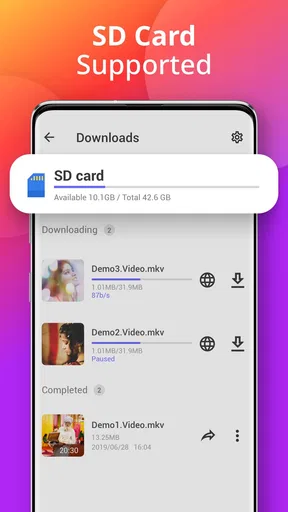
Storage is another part of that decision. Video files can take up room, so I would save only the clips I expect to watch and periodically review what I have kept. A short clip for an upcoming task has a clearer purpose than a growing folder of videos saved “just in case.” If your phone is already low on space, streaming or bookmarking the original post may be a better choice.
Getting Started with Downloader - Video Downloader
First things first, installing the app is a breeze. Available for both Android and iOS, you can grab it from the Play Store or App Store in just a few taps. Once it’s on your device, the user interface is straightforward and intuitive. Honestly, even if you’re not tech-savvy, you’ll feel right at home navigating through the options.
User Interface and Experience
Let’s talk about the layout. It’s clean, uncluttered, and everything is exactly where you’d expect it to be. The app effortlessly combines functionality with simplicity, which is a big win in my book. You won’t find yourself clicking around aimlessly trying to figure things out. Instead, you’ll dive straight into downloading videos like a pro.
Features that Stand Out
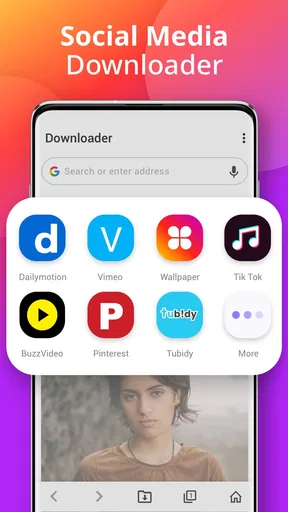
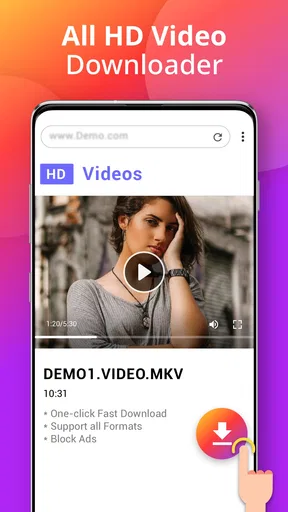
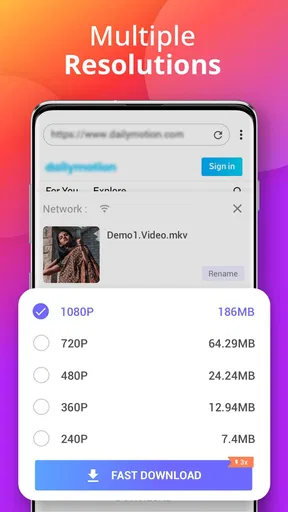
Now, onto the features. The Downloader - Video Downloader app supports a wide range of formats. Whether it’s MP4, AVI, or any other popular format, this app has got you covered. You can download videos from various platforms, making it incredibly versatile. And yes, it includes those tricky sites that often don’t allow downloads.
Another feature worth highlighting is the batch download option. If you’ve got a playlist or multiple videos you want to snag, you can do it all in one go. No need to repeat the process for each video. How convenient is that?
Performance and Speed
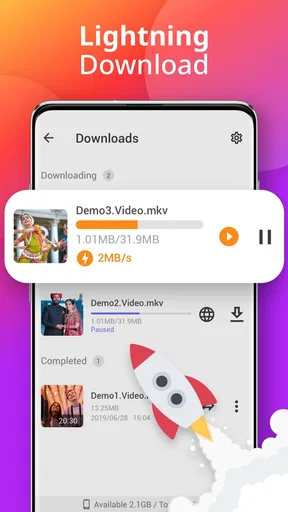
Alright, let’s get into the nitty-gritty: speed. It’s one thing to have a feature-rich app, but if it’s sluggish, what’s the point? Luckily, this isn’t an issue here. Videos download swiftly, and the app runs smoothly without lag. It’s optimized to use minimal resources, ensuring your device doesn’t turn into a toaster while downloading.
In practice, download speed is not only about the app. The source, the connection, and the size of the video can all affect how long a save takes. If something seems slow, I would first check whether the connection is stable and whether the source itself is responding. Starting with a single clip is also a useful way to judge how the process behaves on your own device before attempting several downloads together.
Privacy and Security
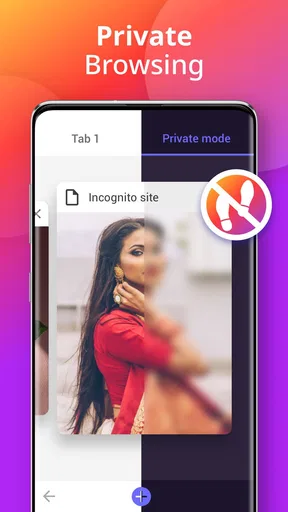
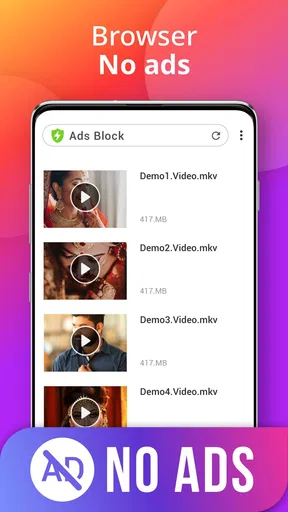
In today’s digital age, security is a top concern. I did some digging, and the app has respectable security measures in place. It ensures that your privacy isn’t compromised, which is reassuring when you’re downloading content from the web. Plus, it doesn’t overload you with ads, which is a rare gem for free apps these days.
I would still treat downloaded files with the same care as any other media saved on a phone. Keep your device locked when appropriate, avoid saving material you would not want others to see, and be mindful of what you share afterward. A downloader can make a file easier to access, but that convenience also means it may remain on your device after you have forgotten about it. Deleting clips you no longer need is a simple habit that keeps a collection manageable.
How it fits beside streaming, bookmarks, and editing apps
Compared with simply bookmarking a post, a downloader is more useful when you need the actual video available without returning to the original service. A bookmark is often the tidier option if you only want to remember where a clip was posted; it avoids keeping another file and lets the creator’s page remain the source. Streaming is similarly preferable when your connection is reliable and you want to avoid using storage.
Compared with a full video editor, this app has a much narrower role. Editors are better when you need to trim footage, add titles, or assemble a finished project. A downloader is the more relevant choice when the task is keeping a permitted video for later viewing, not changing it. I would not choose it as a substitute for an editor, a cloud library, or a dedicated screen reader-friendly media collection. Those tools solve different problems.
Batch saving can be a time-saver when you already know which clips you need, but it is also a reason to be selective. Before collecting a group, I would make sure each item is useful and appropriate to keep. A deliberate small set is easier to find and manage than a large download queue assembled from a scrolling session. That is especially helpful if several videos are intended for one class, trip, or project.
Who will get the most from it—and who may not
The app is most appealing to people who regularly find videos they want to watch later and are comfortable managing saved media on a phone. Its focus on downloading makes sense for someone who values offline access more than editing tools or an elaborate library. The app is free, has an Everyone content rating, and is developed by Leap Fitness Group. It has a 4.7 average from around 556,000 ratings, with over 100 million installs, which gives a sense of its broad reach without telling you whether its workflow will suit your needs.
I would hesitate to recommend it to someone who mainly wants to organize a large archive, preserve original links and context, or edit clips into new work. A bookmarks app, cloud storage service, or editor may fit those jobs better. It may also be a poor match if you need specific accessibility controls that you cannot confirm on your own device, or if you are unwilling to check the rules of the platform and content before saving. A popular tool is not automatically the right tool for every use case.
Cost, compatibility, and a sensible first test
The app is free to download, while in-app purchases are listed at $3.99 per item. If you are considering a purchase, I would first use the free experience to decide whether the basic workflow is useful to you, then check the purchase details shown in the app before committing. That is a more reliable way to judge value than assuming every feature you want is included at no cost.
Its current version is 1.5.1, and it requires Android 6.0 or later. Before installing, check that your device meets that requirement and that you have enough room for the videos you plan to keep. For iOS, use the compatibility details displayed for your device in its app store. A quick trial with one permitted clip is the best way to answer practical questions: whether the steps make sense, whether the result is easy to locate, and whether the viewing experience works for you.
Why You Should Try It
If you’re someone who frequently finds themselves wanting to save videos for offline viewing, this app is a game-changer. Whether it's for educational purposes, entertainment, or just to share memes with friends, having the ability to download videos seamlessly is invaluable.
And hey, it's free! There’s really no reason not to give it a whirl. The app strikes a perfect balance between being feature-packed and user-friendly, which isn’t something you come across often in the app world.
In conclusion, the Downloader - Video Downloader app is a solid addition to your smartphone’s arsenal. It does exactly what it promises without any fuss, and that’s something we can all appreciate. So go ahead, give it a download and let it work its magic.
My inclusive verdict
I see this as a practical option for people who want a direct route from finding a video to keeping it for a planned offline moment. Its simple purpose can reduce the effort of returning to a feed, and batch saving may help when you have a clearly defined set of clips. The best results come from using it selectively: choose material you are allowed to save, check that the interface works for your needs, and keep an eye on storage and saved files.
For someone who needs stronger text controls, hands-free operation, detailed media organization, or editing, another tool may be a better fit. For someone who wants a straightforward downloader and is comfortable with its workflow, it is worth trying. I would judge it not by the number of videos it can collect, but by whether it makes one useful clip easier to watch at the right time, in a way that feels manageable and comfortable.
Verdict
Strengths of Downloader - Video Downloader
- Supports multiple video formats.
- Fast download speeds.
- User-friendly interface.
- Allows batch downloading.
- Background downloading supported.
Limitations of Downloader - Video Downloader
- Contains ads that can be intrusive.
- Limited support for some websites.
- No built-in video player.
- Requires permissions access.
- Occasional download failures.
Other Releases by Leap Fitness Group
View All
HD Video Downloader App - 2022
Video Players & Editors4.6

Ovulation Calendar & Fertility
Parenting4.8
Similar Picks in This Category
View All
Google TV
Google LLC3.9

iTunes
Apple4.7

YouTube
Google LLC3.8

MX Player
Amazon Mobile LLC4.2

CapCut - Video Editor
Bytedance Pte. Ltd.3.5

PLAYit-All in One Video Player
PLAYIT TECHNOLOGY PTE. LTD.4.5
Frequently Asked Questions
Is Downloader - Video Downloader free to use?
Yes, Downloader - Video Downloader is free to download and use. However, the app may include optional in-app purchases or ads that can be removed through a premium version. Make sure to check the app's details on the official store page to understand any costs involved.
What video formats does Downloader - Video Downloader support?
Downloader - Video Downloader supports a wide range of video formats, including MP4, AVI, MOV, and more. This flexibility allows users to download and save videos in their preferred format, ensuring compatibility with various devices and media players.
Can I download videos from any website using Downloader - Video Downloader?
Downloader - Video Downloader supports downloads from numerous popular websites. However, some sites may have restrictions or terms of service that prevent downloading. Always ensure that downloading content complies with the website's terms and conditions to avoid potential issues.
Is it legal to use Downloader - Video Downloader?
Using Downloader - Video Downloader is legal, but it's crucial to respect copyright laws and the terms of service of websites from which you download content. Ensure you have permission to download or use the content, especially for commercial purposes, to avoid legal complications.
Does Downloader - Video Downloader require a lot of storage space?
The app itself is lightweight and doesn’t require much storage space. However, the amount of space needed will depend on the size and number of videos you download. It's advisable to monitor your device’s storage capacity to ensure you have enough space for new downloads.
